Master Your Subscriptions.
Save Money Smarter.
Track all your recurring expenses, parse bill details instantly using Gemini AI, and configure high-importance renewal alarms that bypass Do Not Disturb so you never pay for an unused service again.

Elegant Subscription Dashboards
Organize all your services in one material-style view. Group subscriptions by categories, currencies, and billing structures. Never lose track of how much you spend weekly, monthly, or annually.
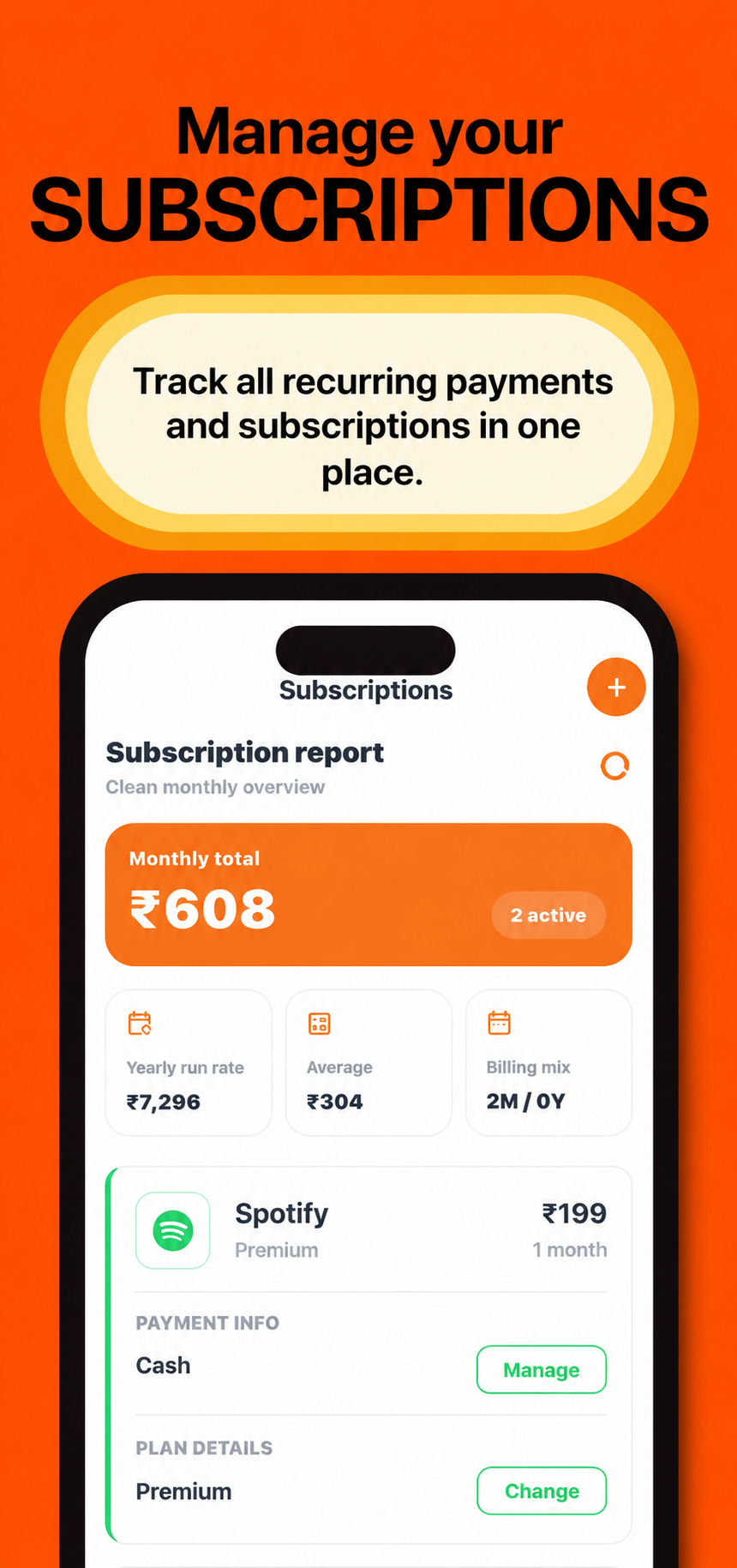
Subscription Reports at a Glance
Review monthly totals, active services, yearly run rate, average spend, and billing mix in one clean subscriptions view. Each plan stays easy to compare with renewal timing and monthly cost visible up front.
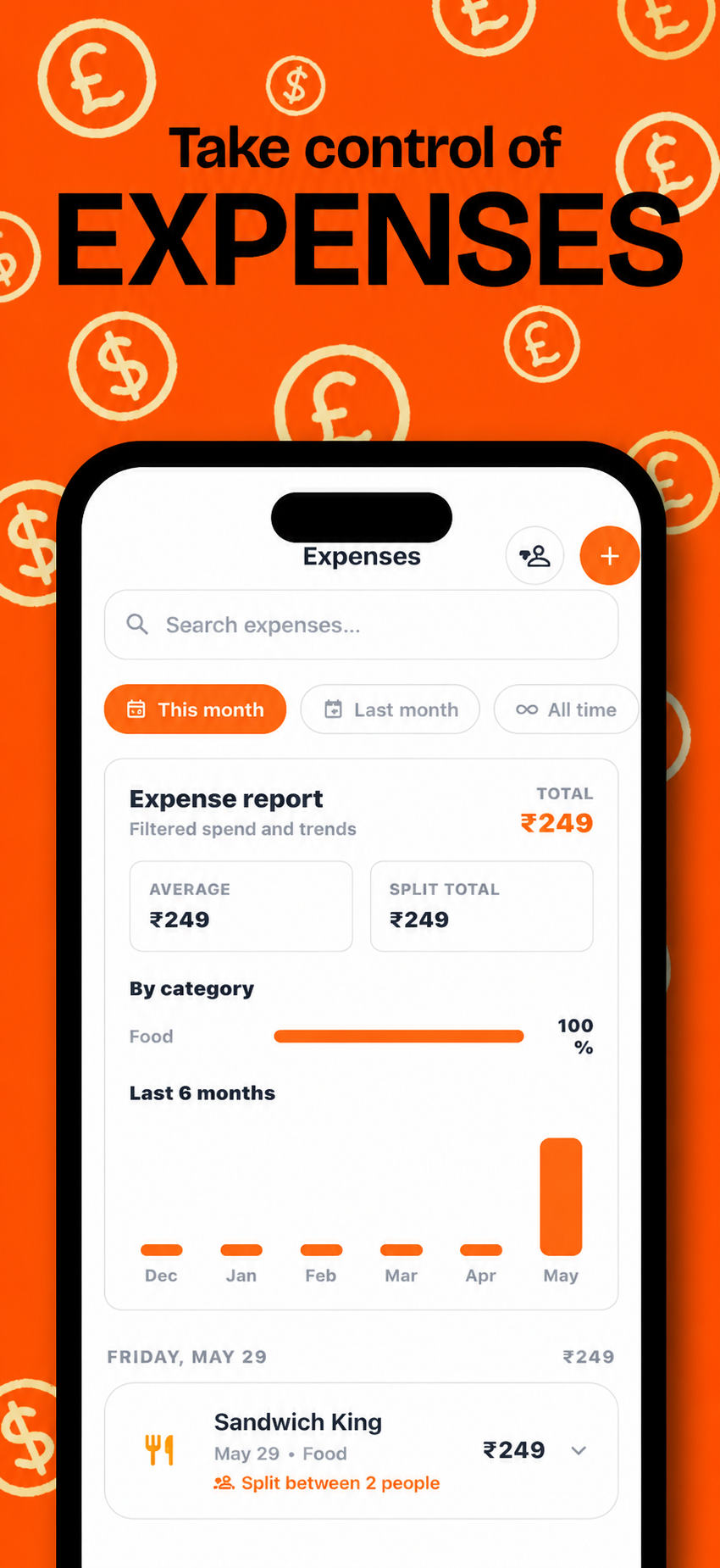
Expense Insights by Category
Filter one-time expenses by period, search spending records, inspect category shares, and compare recent monthly trends before they become budget surprises.
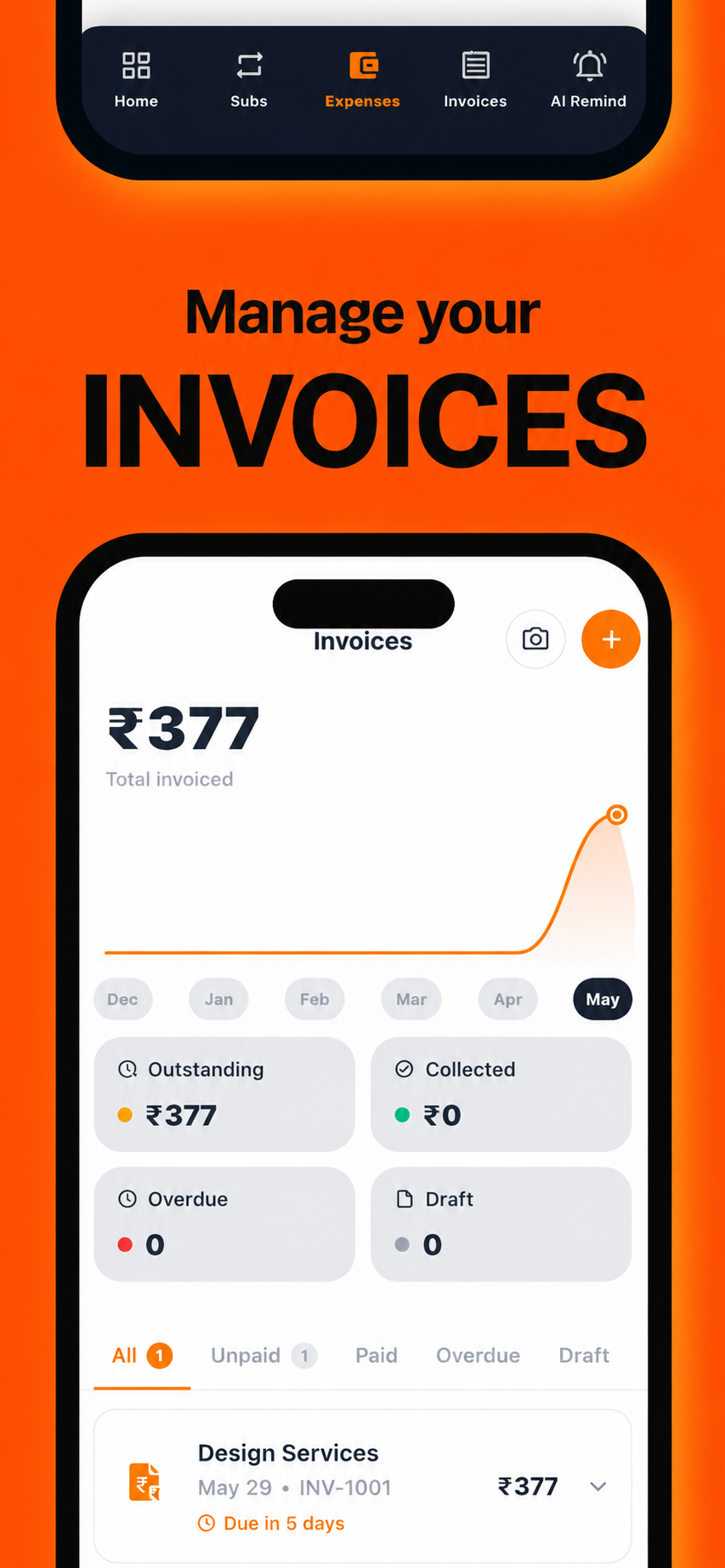
Invoice Tracking & PDF Exporting
Monitor invoiced totals, outstanding balances, paid status, overdue items, and drafts. Scan receipts, create invoices, and export professional PDFs when you need billing records.
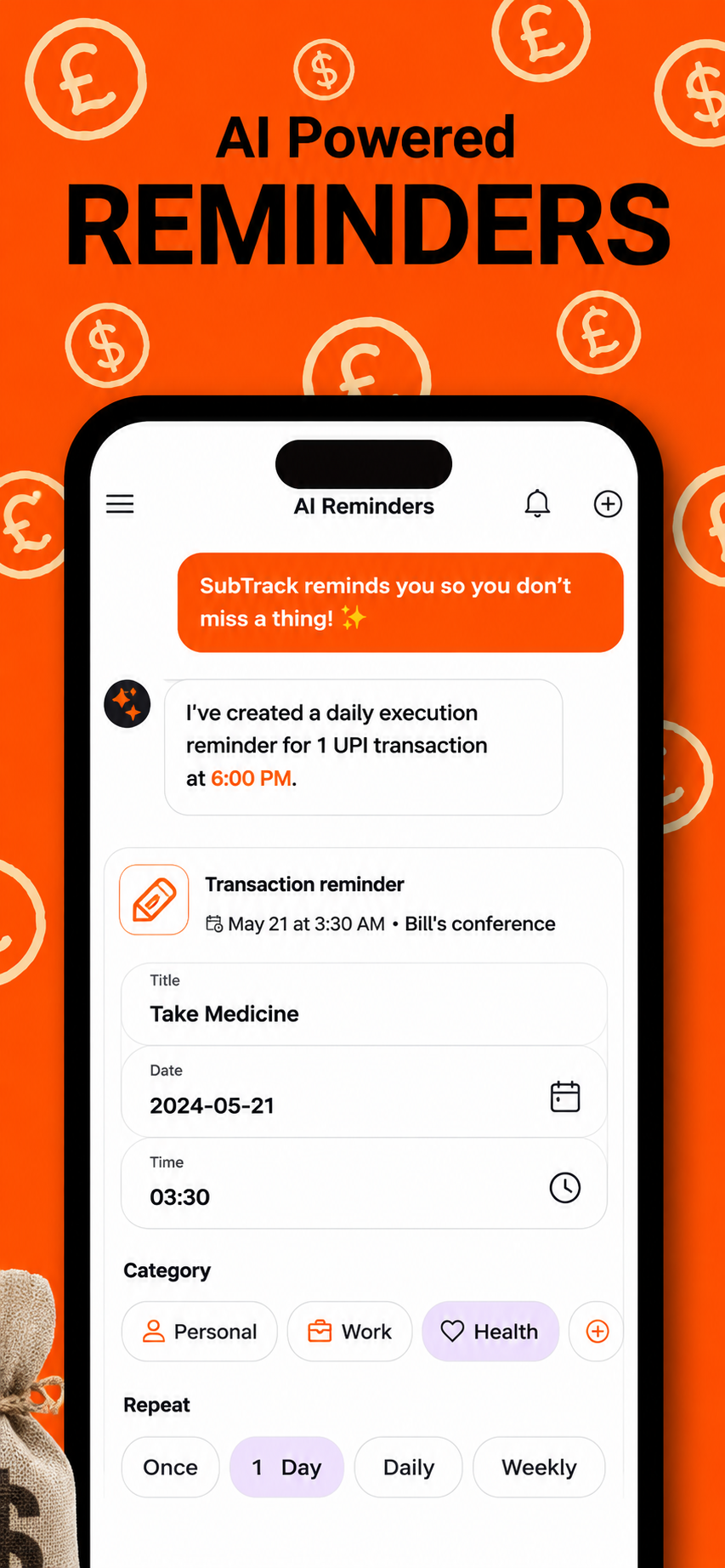
AI Powered Payment Reminders
Create smart reminders for bills, subscriptions, transactions, medicines, and personal tasks. SubTrack keeps upcoming actions visible so important payments do not slip away.
Everything You Need to Curb Subscription Bloat
Designed with elegant, modern guidelines to give you visual clarity and total management over recurring charges.
Multilingual parsing
Gemini AI understands Hindi, English, Gujarati, and Hinglish. Describe your reminder naturally and the AI handles structured extraction perfectly.
Privacy-First Architecture
Enjoy secure anonymous auth. All subscription data syncs to Firestore database scoped strictly by user authentication IDs with Firestore Rules.
Custom Alarm Previews
Audibly test and select warning sounds (e.g. customized sound previews, alarms) right inside settings to make sure alerts catch your attention.
Material 3 Theme Engine
Borders, outlines, and inputs shift flawlessly. Built using adaptive light and dark theme palettes for seamless transitions.
Offline Sync Resilience
Create, update, or delete subscriptions offline. Firestore caching queues updates and syncs them automatically when connection recovers.
PDF Billing Reports
Compile details of select periods into professional layouts. Brand invoices with custom logos, and share or download them immediately.
How To Use SubTrack
Quick step-by-step guides to mastering subscription tracking, AI parsing, and alarms.
Tracking a New Subscription
Adding a subscription manually is fast, with preset catalogs and customizable intervals.
Click the Add Icon
Tap the floating action button (+) on the main Subscriptions tab screen.
Enter Information
Choose from our preset catalog (Netflix, Spotify, etc.) or input custom name, price, billing cycle, currency, and date of next payment.
Configure Alerts & Save
Select whether you want a standard notification or a full-screen alarm. Tap "Save Subscription".
Extracting Details with Gemini
Allow SubTrack to read raw billing statements or natural languages to organize subscriptions.
Go to Assistant Tab
Open the "Assistant" section from the tab navigation menu inside the app.
Input Text or Photo
Type a note like "Amazon subscription is ₹1499 recurring annually starting on Jun 15th" or upload a photo/screenshot of an invoice/receipt.
Confirm Structured Output
Gemini reads detail fields (provider name, date, amount, currency) and displays a card. Review details and tap "Add to Tracker".
Enabling High-Importance Alarms
Configure alarms to run on full screen even when your device is locked, muted, or in DND.
Set Alert Type to 'Alarm'
When creating or editing a subscription, toggle the alert type option from "Standard" to "Alarm".
Grant Device Permissions
Android requires Full-Screen Intent permissions to draw overlays, and system permissions to override Do Not Disturb. Grant them when prompted.
Verify sound options
Navigate to Settings → Alarm Tones. Audibly preview alarm rings and choose your preferred warning sound.
Generating PDF Invoices
Generate, brand, and export customized invoices of your billing histories.
Access Invoices Screen
Tap the "Invoices" tab. A history of your past subscription payments is loaded automatically.
Customize Invoice Branding
Tap a specific payment record. Set custom invoice branding options such as company/freelancer header, notes, and logo image.
Export and Share
Tap "Export PDF". The app converts templates to PDF files. Select to share (via Email, Slack, WhatsApp) or save locally.
Common Questions
Get quick answers regarding SubTrack features, privacy structures, and alert settings.
Stop Paying For Unused Subscriptions
Download SubTrack today. Set up secure Firestore cloud backups, smart alarms, and let Gemini AI optimize your monthly budget.